Where can I filter tickets?
When viewing tickets, there will be a search pane on the right of the screen. This will allow you to filter the tickets by agent, group, status, response or resolution due date and a number of other criteria.
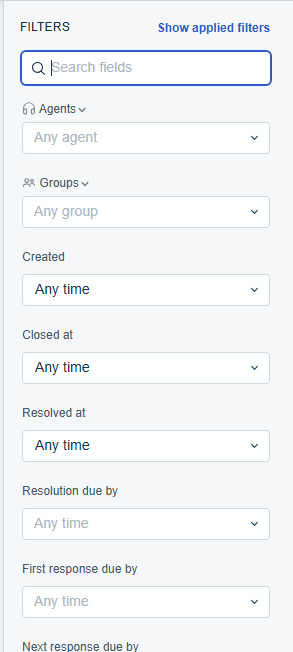
How do I filter tickets?
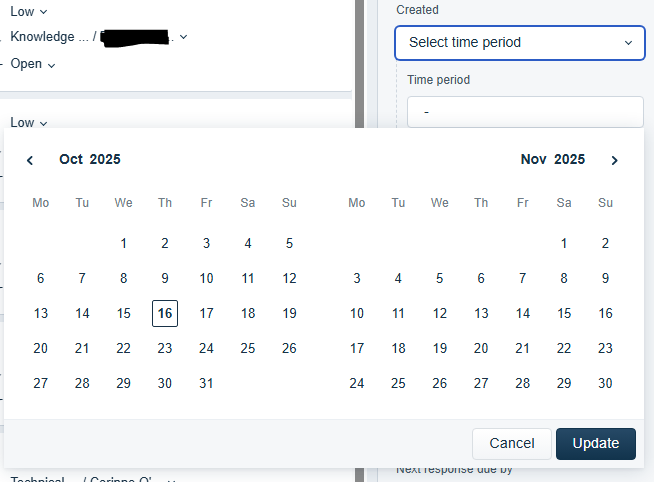
You can filter tickets for single or multiple criteria over a set or custom date range. After you select the filters the tickets within range will automatically appear. In order to apply a new filter you will need to clear all filters that are currently applied.
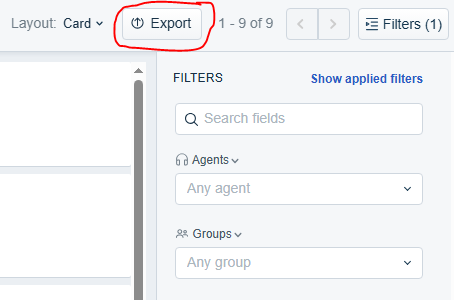
Can I view the tickets that I've filtered in a spreadsheet?
Yes, you can. If you select 'Export' above the filter pane, reselect the time range and hit update and export. This will send a spreadsheet of the tickets to your email address.
Was this article helpful?
That’s Great!
Thank you for your feedback
Sorry! We couldn't be helpful
Thank you for your feedback
Feedback sent
We appreciate your effort and will try to fix the article