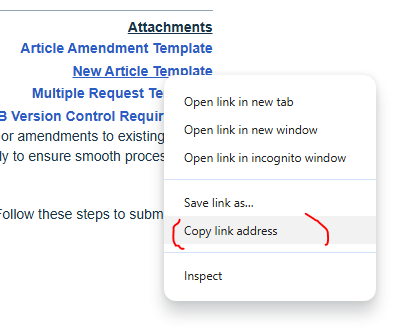
Some users are not able to open links from the knowledge base by clicking on them due to Chrome security settings. You will need to right click on the link, select 'copy hyperlink', paste this into a new browser tab and press enter.
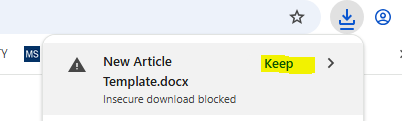
The attachment from the link will then either open or appear in the bottom right of the screen. Select Keep to iniate the download off the Knowledge Base.
Please let us know if you are still unable to open the link.
Was this article helpful?
That’s Great!
Thank you for your feedback
Sorry! We couldn't be helpful
Thank you for your feedback
Feedback sent
We appreciate your effort and will try to fix the article